Growing engagement through team connection in Airtable
________

Lack of user engagement in Airtable hurts the business
Creators (or early adopters turned 'champions') build workflows (interfaces) in Airtable, share these to enable cross-functional collaboration, and sync data across the organization with a relational database at the core as the single source of truth (no data silos). This is Airtable's unique selling point. An example would be, a company's marketing, product, and brand teams collaborating on upcoming product launches and tracking progress, deadlines, effort, and impact.

After inheriting interfaces and the initial phase of setting up custom workflows in Airtable, most end-users (non-creators) were inactive and unengaged (especially non-new users, who were inactive at high rates). The communication about the work to be done occurred outside of Airtable, there was a loss of context, duplicative data, and thus Airtable was no longer the single source of truth as we claimed. This is one of the reasons that led to a drop in Airtable adoption across teams in an enterprise as weekly active users have a positive relationship with upgrades $$$.
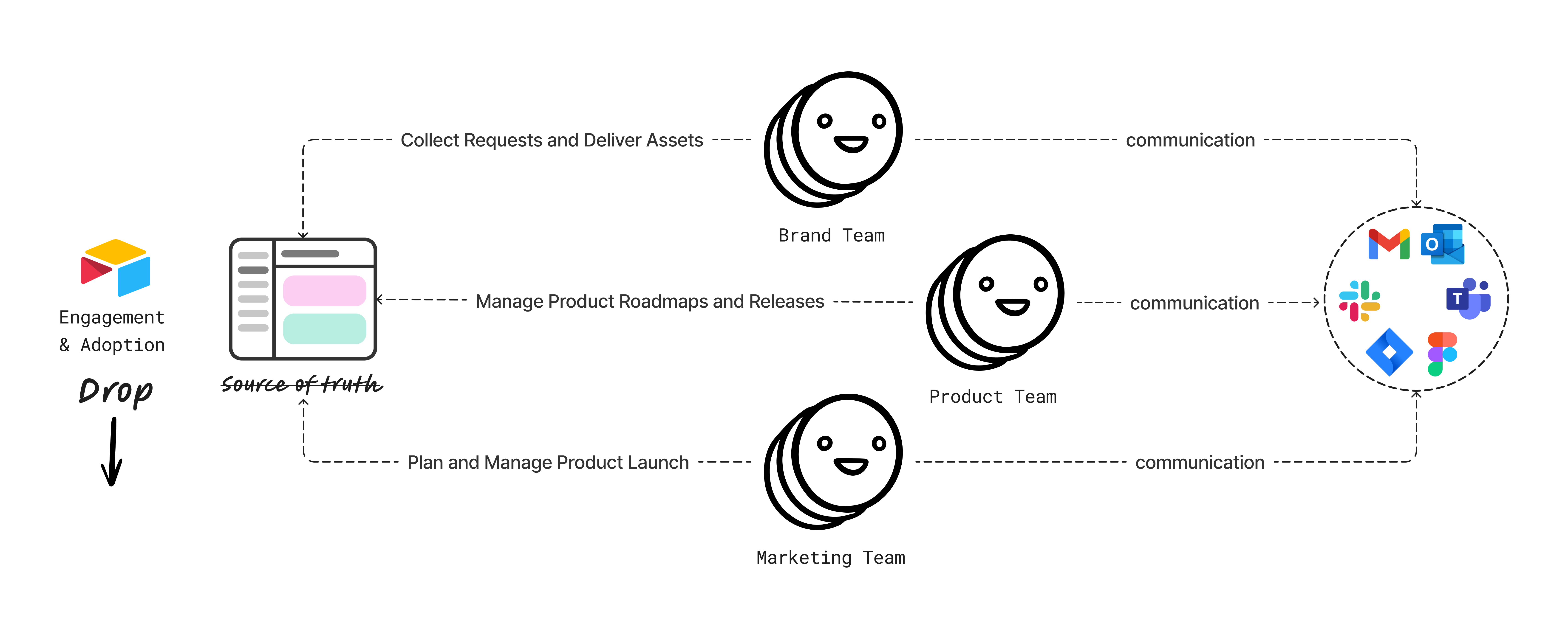
Pain points
Through user research, we discovered that apart from Slack and Teams being the obvious hubs for company collaboration (duh!), the overall Airtable notification experience was broken. Users weren't engaging because they missed important notifications from their teammates or other partner teams, they couldn't keep up with the number of notifications being fired from Airtable across different channels, and they struggled with setting up personal preferences for things they wanted to be notified about. The most urgent challenges to address were foundational improvements to fix notification consumption, noisiness, and relevance, and simplify the ability to take action on notifications triggered by team activity.
Digging to the root
We had another problem. Internally, our notifications platform was disorganized, each team used multiple channels to randomly push different types of notifications to our users– product updates, features, system failures, marketing content, billing and payment, etc. We had gotten a bad rep of Airtable notifications being too noisy and ineffective. This led to a lack of trust, our users relied on other apps to communicate about the work, even if it was cumbersome, duplicative, and took more time because of the loss of context. I seized an opportunity to establish a common terminology and taxonomy to enable conversations with various internal teams and lay down rules for different types of Airtable notifications and the appropriate channels to use for each.
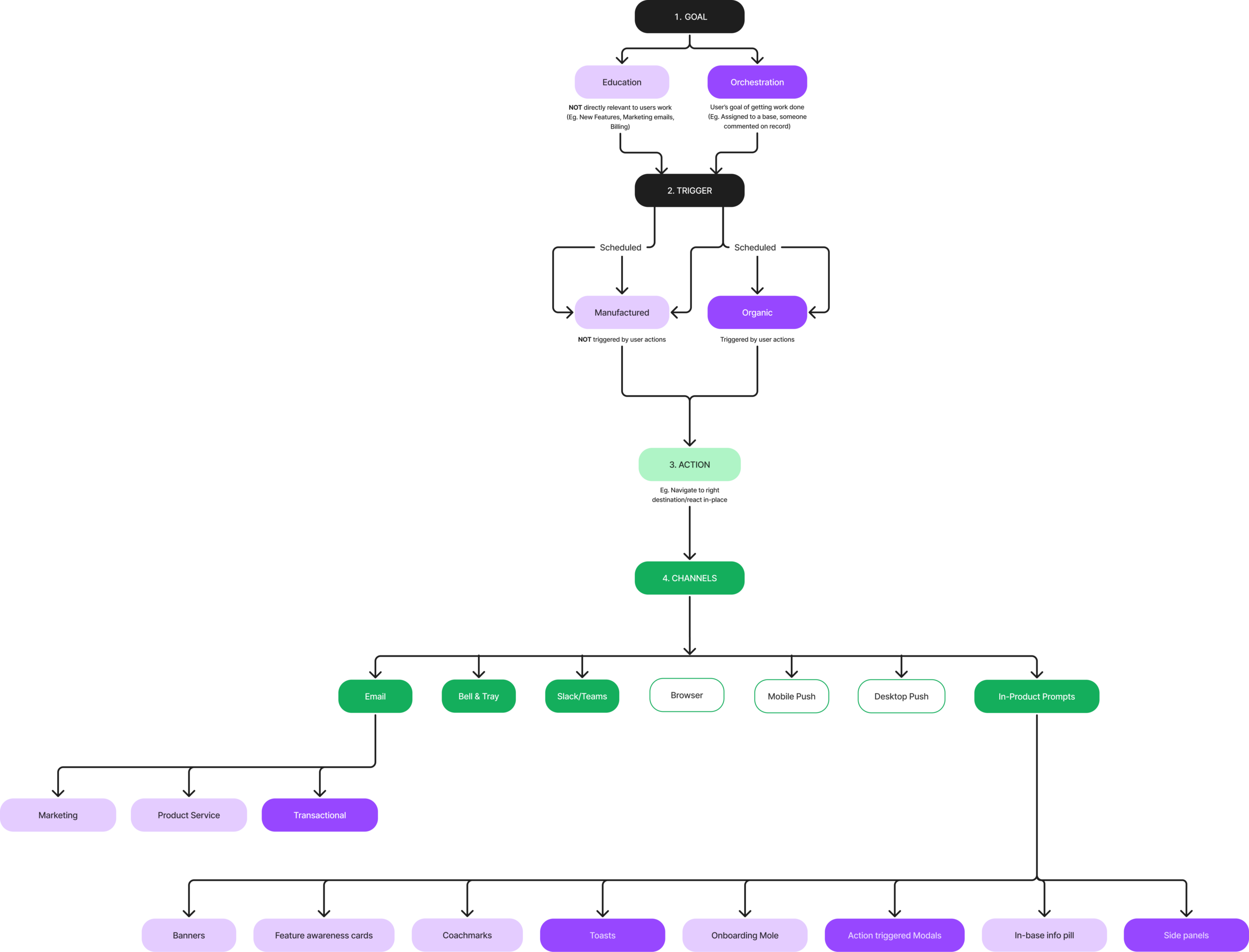
The north star
Looking at qualitative and quantitative data, the north star goal was to increase 1k+FTE Weekly Active Users. How? The hypothesis– make improvements to the Airtable notification engine to power more habitual use of Airtable among non-new users at 1k+ companies. We believe that enterprise users will be successful in collaborating more efficiently in Airtable by having robust team communication opportunities that create engagement loops while doing work in Airtable. Given the new era of hybrid work, remote collaboration has become increasingly important and the software tools we use daily need to be able to support that.
How do we get there?
A user will choose to interact with a notification because it’s rewarding them in some way than the alternative– which is users going outside of Airtable to get clarity from their teammate on how to collaborate on an Airtable interface making the job-to-be-done harder, losing time, and increasing inefficiency. This reinforces the action that needs to be taken so that the next time a notification is triggered, users feel motivated to interact with it, to take the required action, and a habit loop is established. This potentially increases user engagement in Airtable.
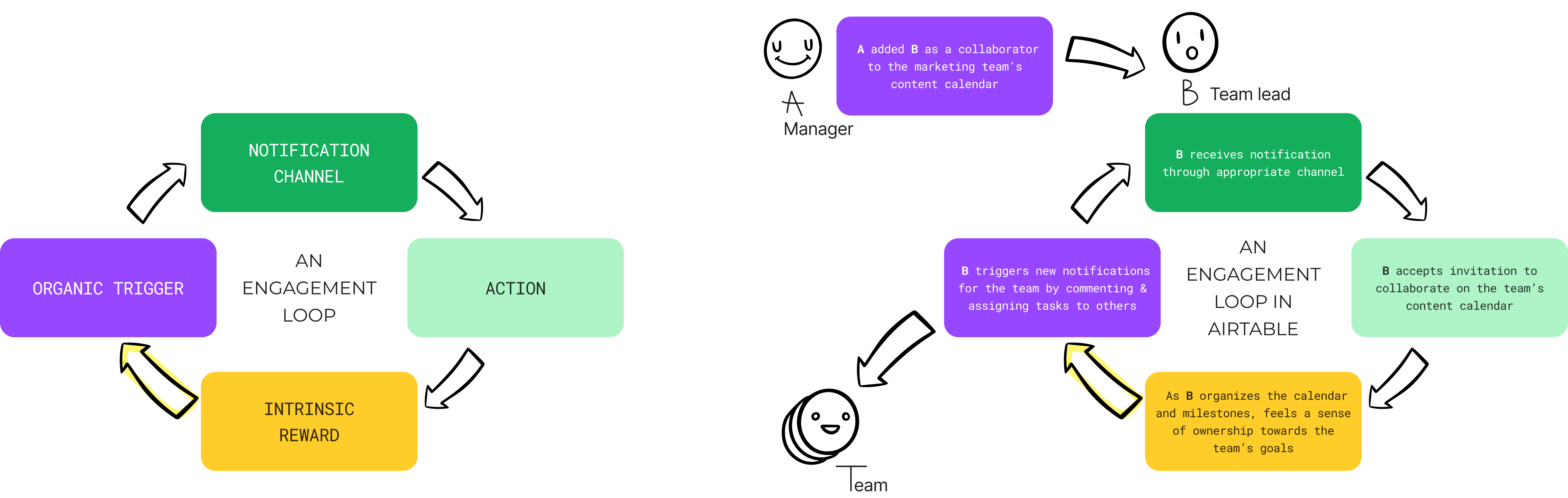
First, I broke down Airtable's existing notification system to identify all the problems. Then, I looked at these pieces through the lens of building engagement loops and created a map of the area of opportunity for us. This map helped my team understand what was wrong and led to effective conversations about our focus for the fiscal year. Along with my team, we came up with the intrinsic rewards a user should feel when they receive and act on notifications triggered by their team's activity. This helped us stay laser-focused on human needs.
To enable meaningful and recurring use of Airtable among end-users we had to build an engagement engine of robust alerts that cultivates habits and intrinsic rewards. We chose to work on improving the overall comments experience as it would directly impact weekly active usage and the bell & tray channel as it is a prominent surface for both enterprise and consumer experience.
Scope:
- Surface the presence of comments in data-dense interfaces.
- Get notified about comment activity that is relevant to you.
- Improve scannability of bell & tray and enable quick actions.
Feature 1: Surfacing the presence of comments in data-dense interfaces
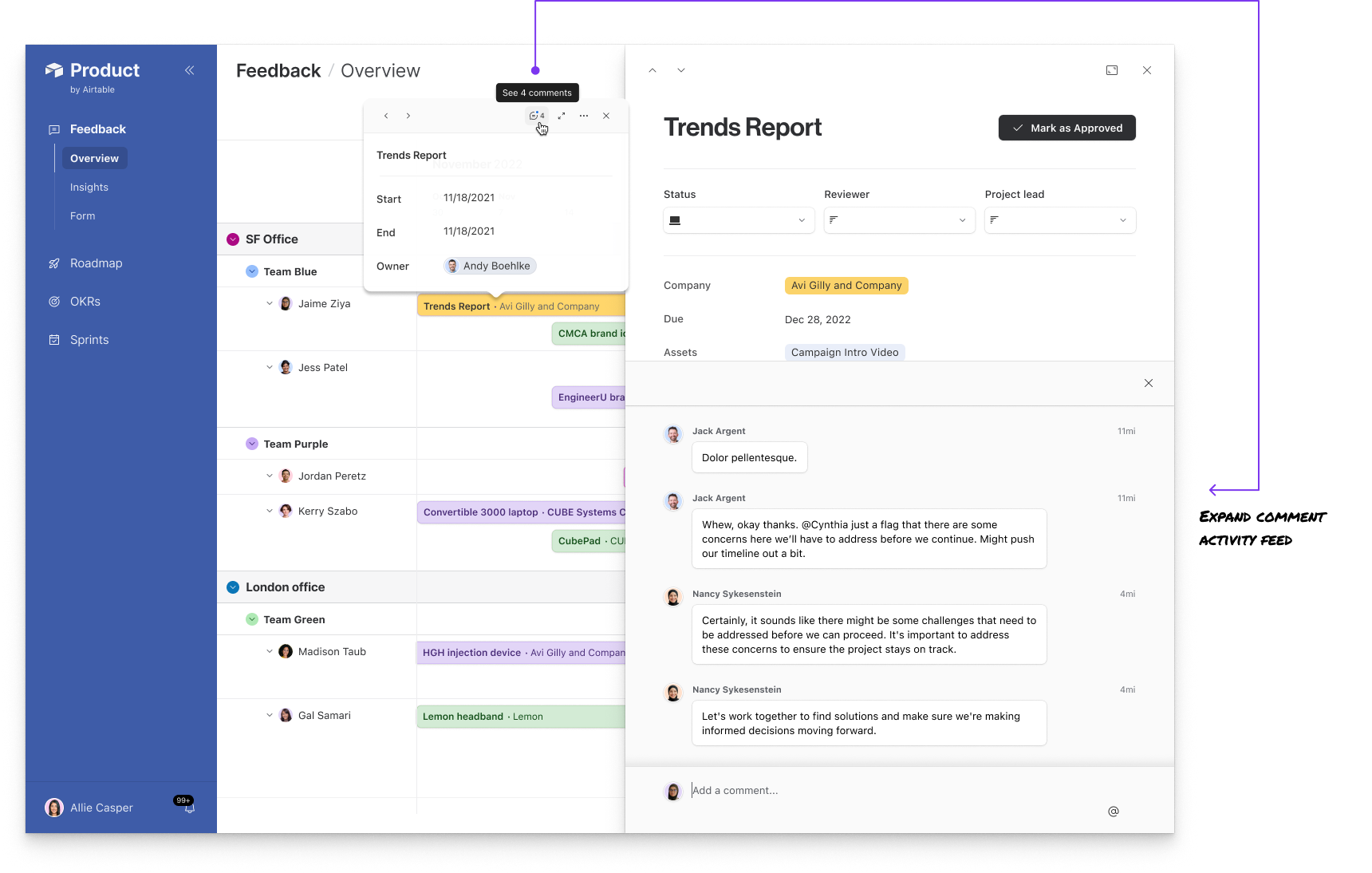
Comment indicators in List view
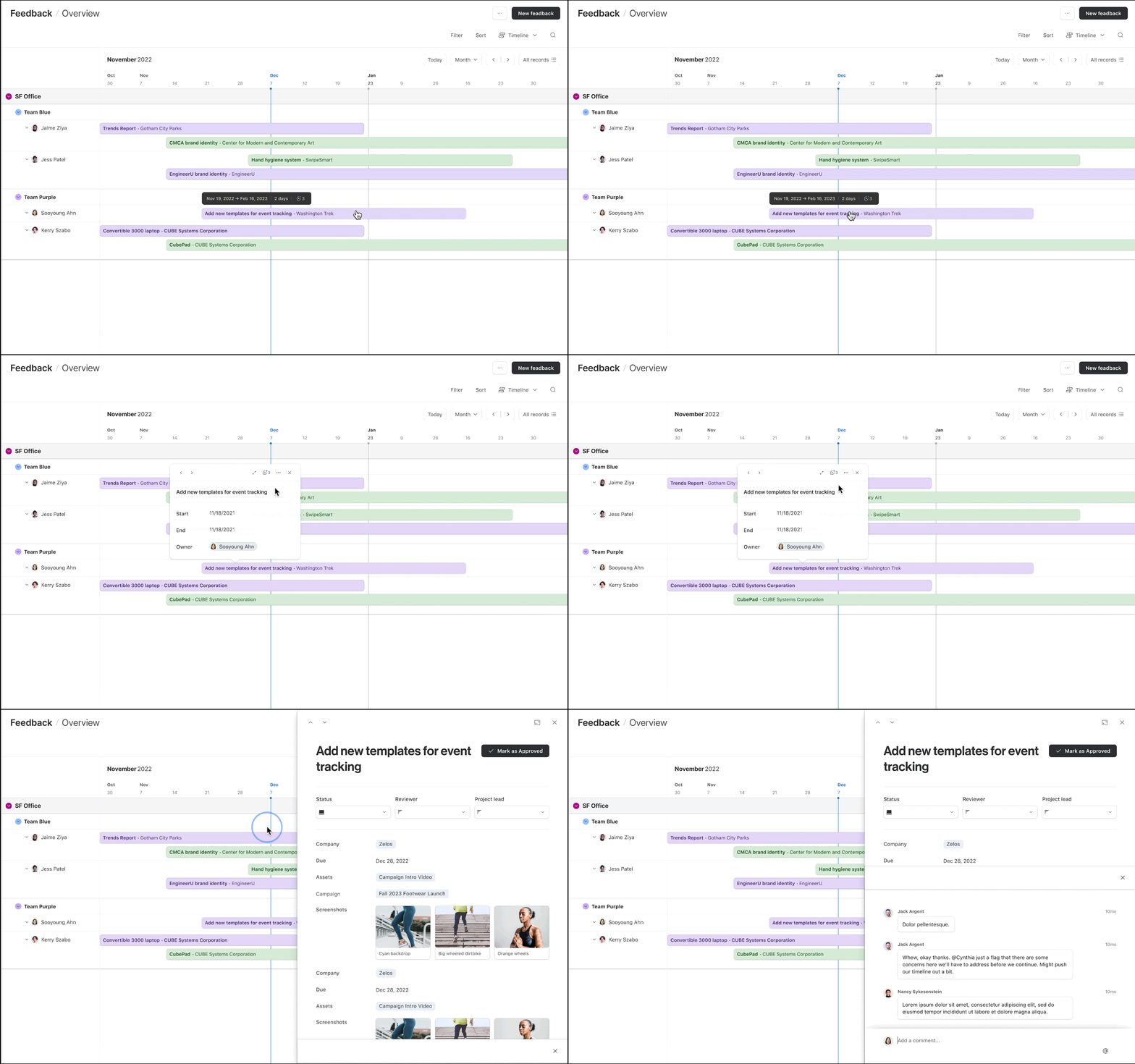
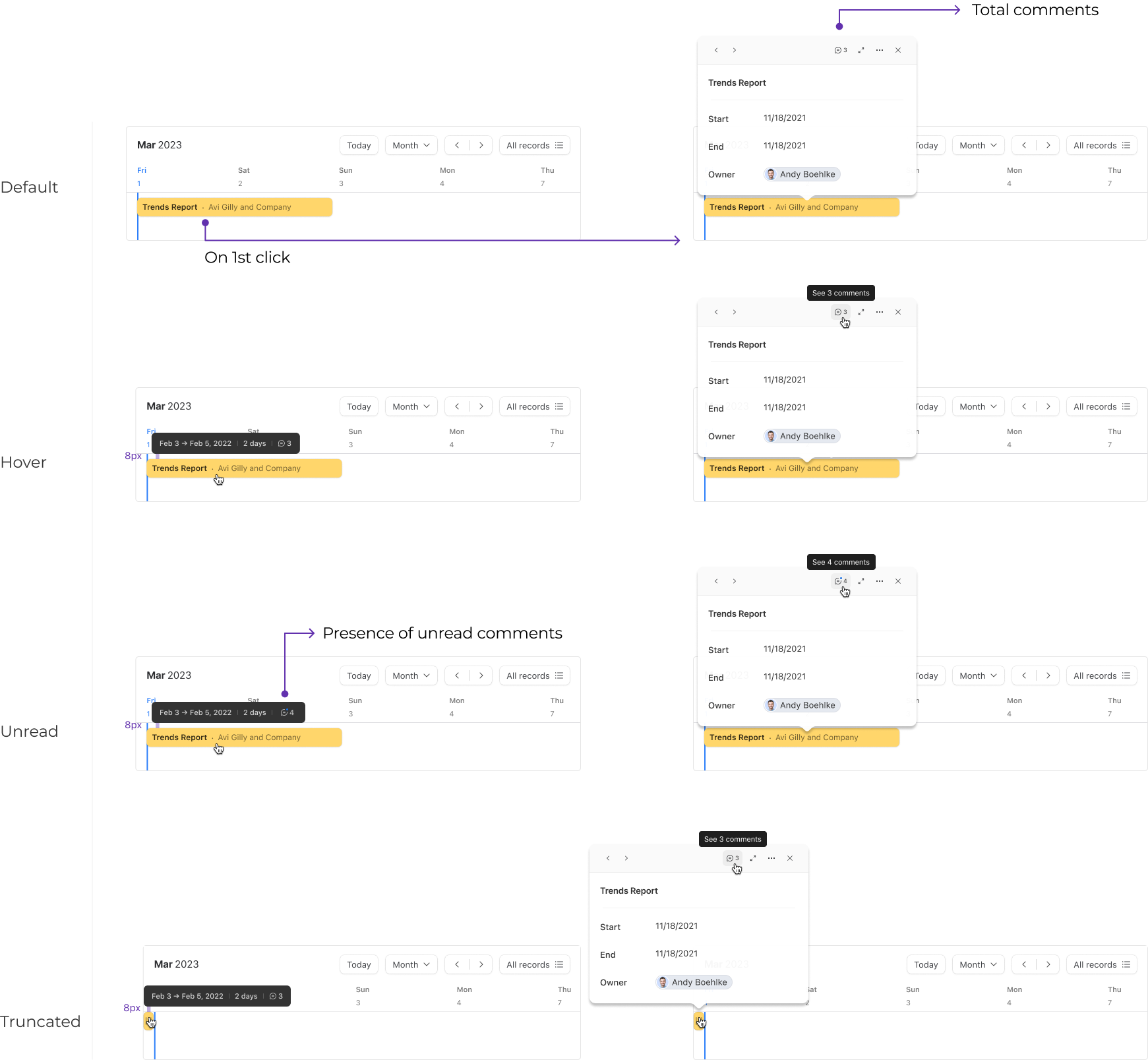
Comment indicators in a Timeline
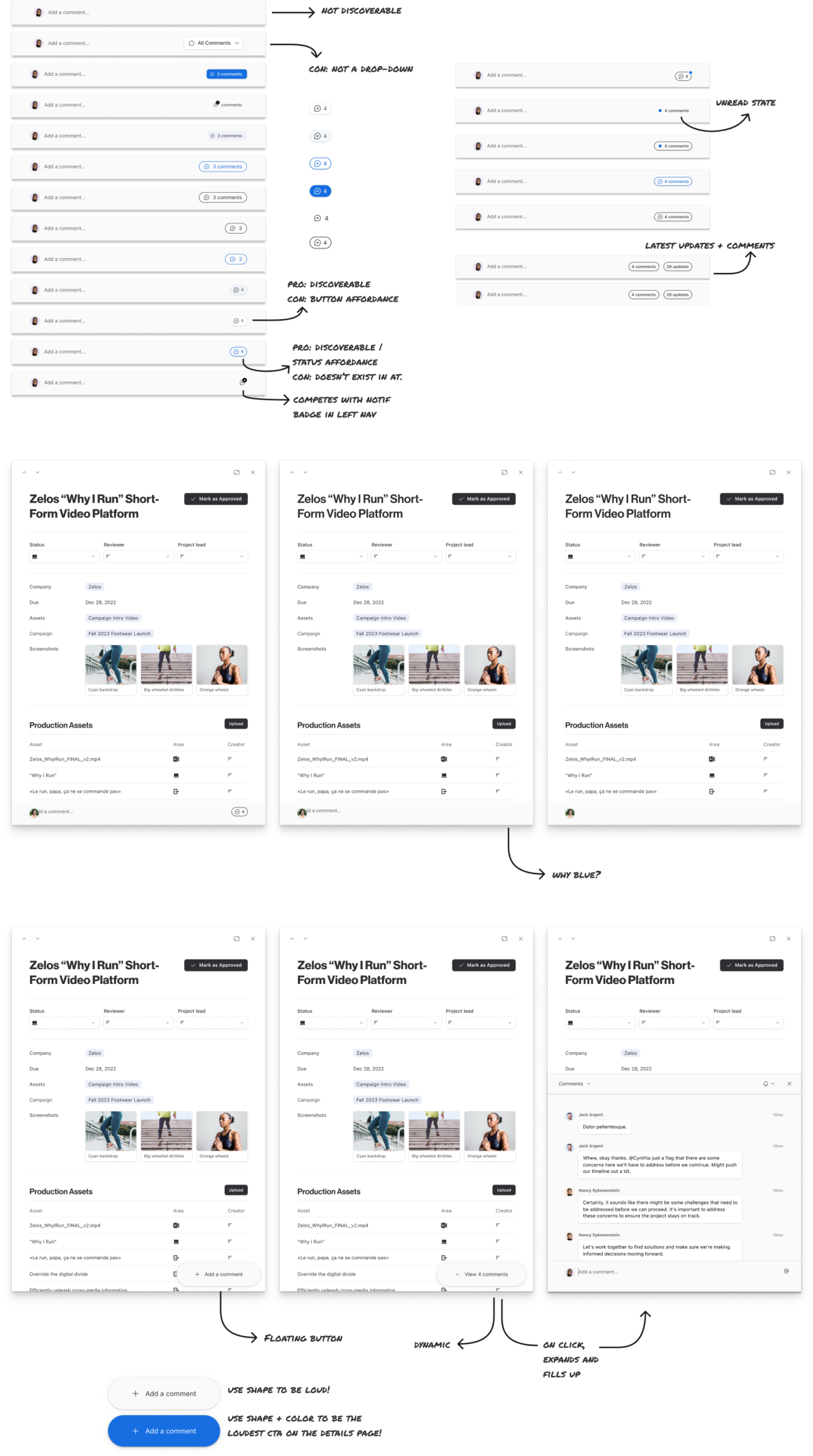
Problem 1: How can we amplify the presence of comments in interfaces (lists and timelines) to ensure users stay informed?

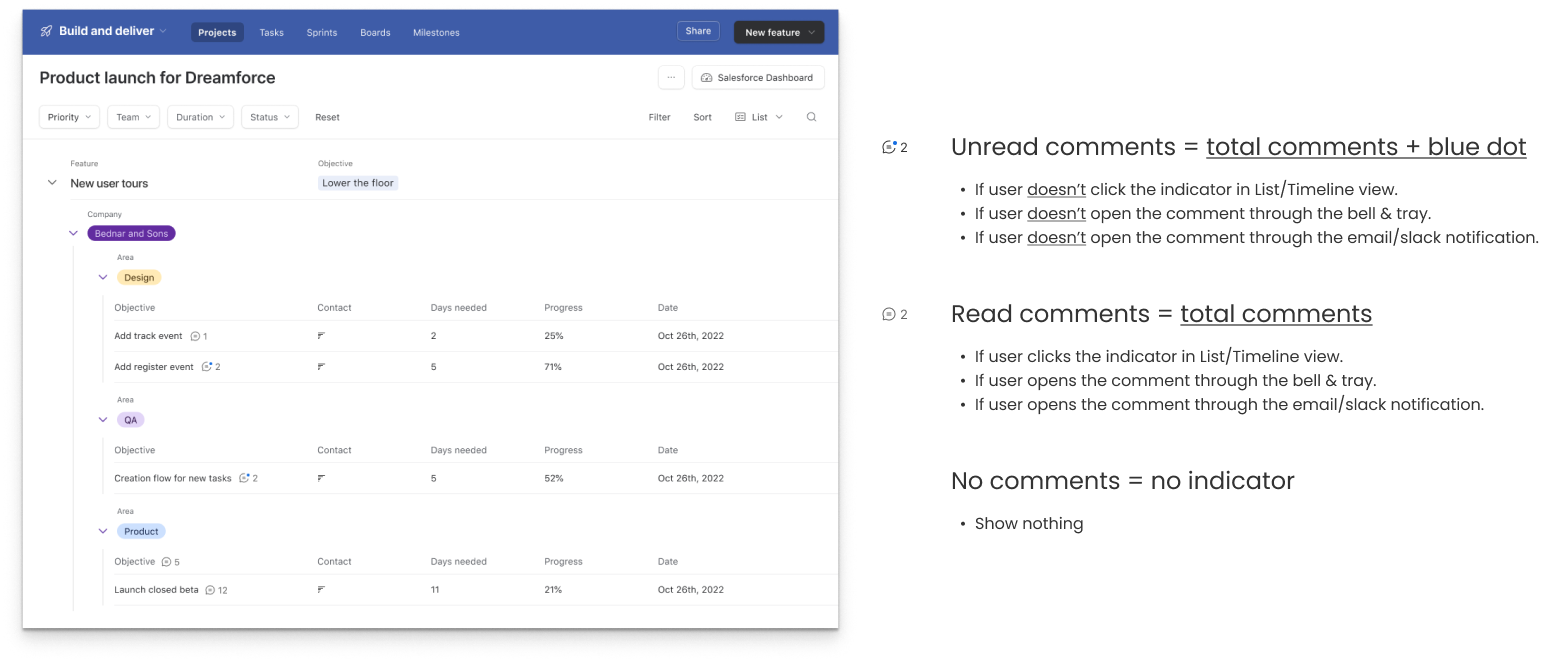
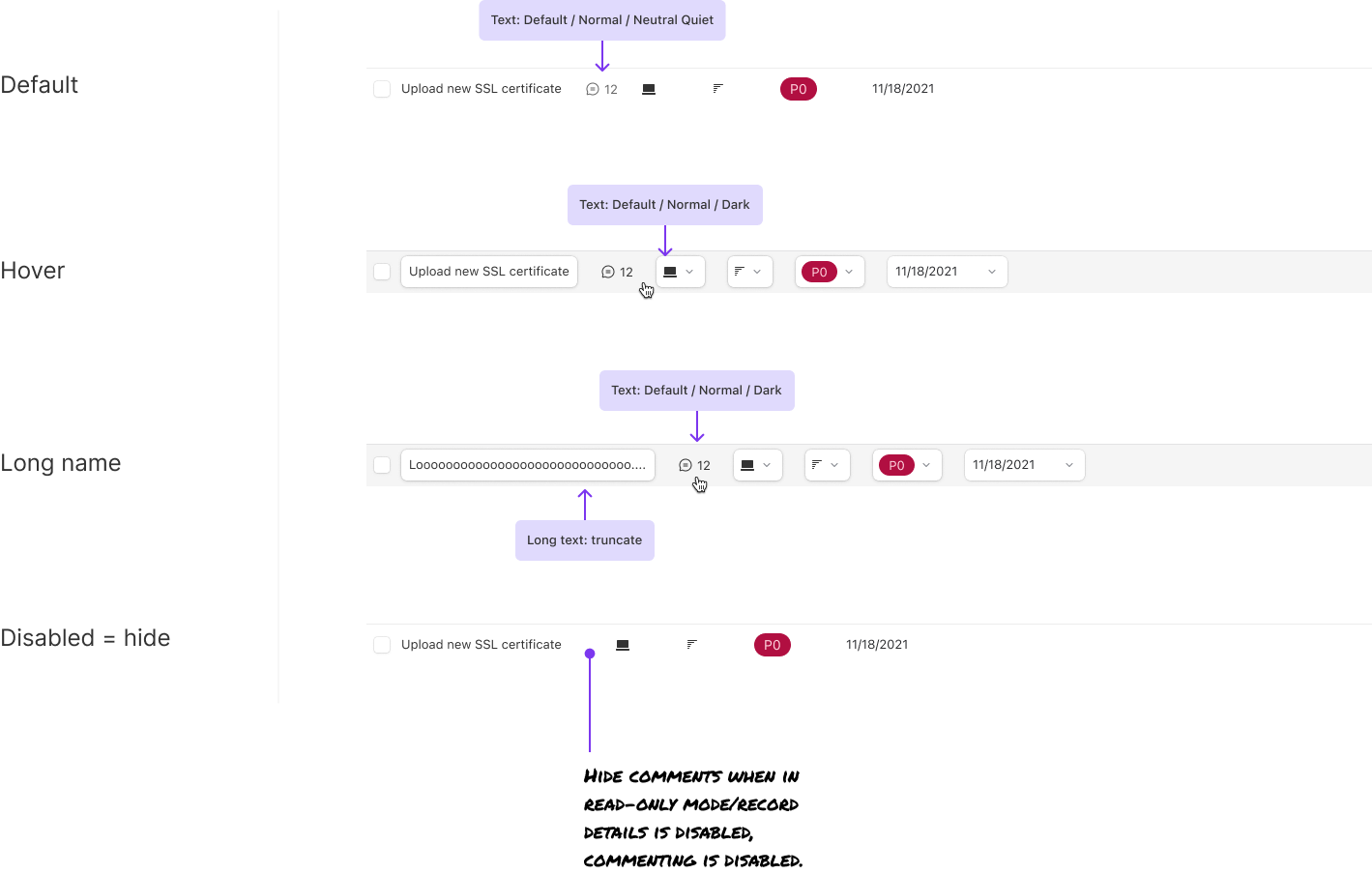

Feature 2: Get notified about comment activity
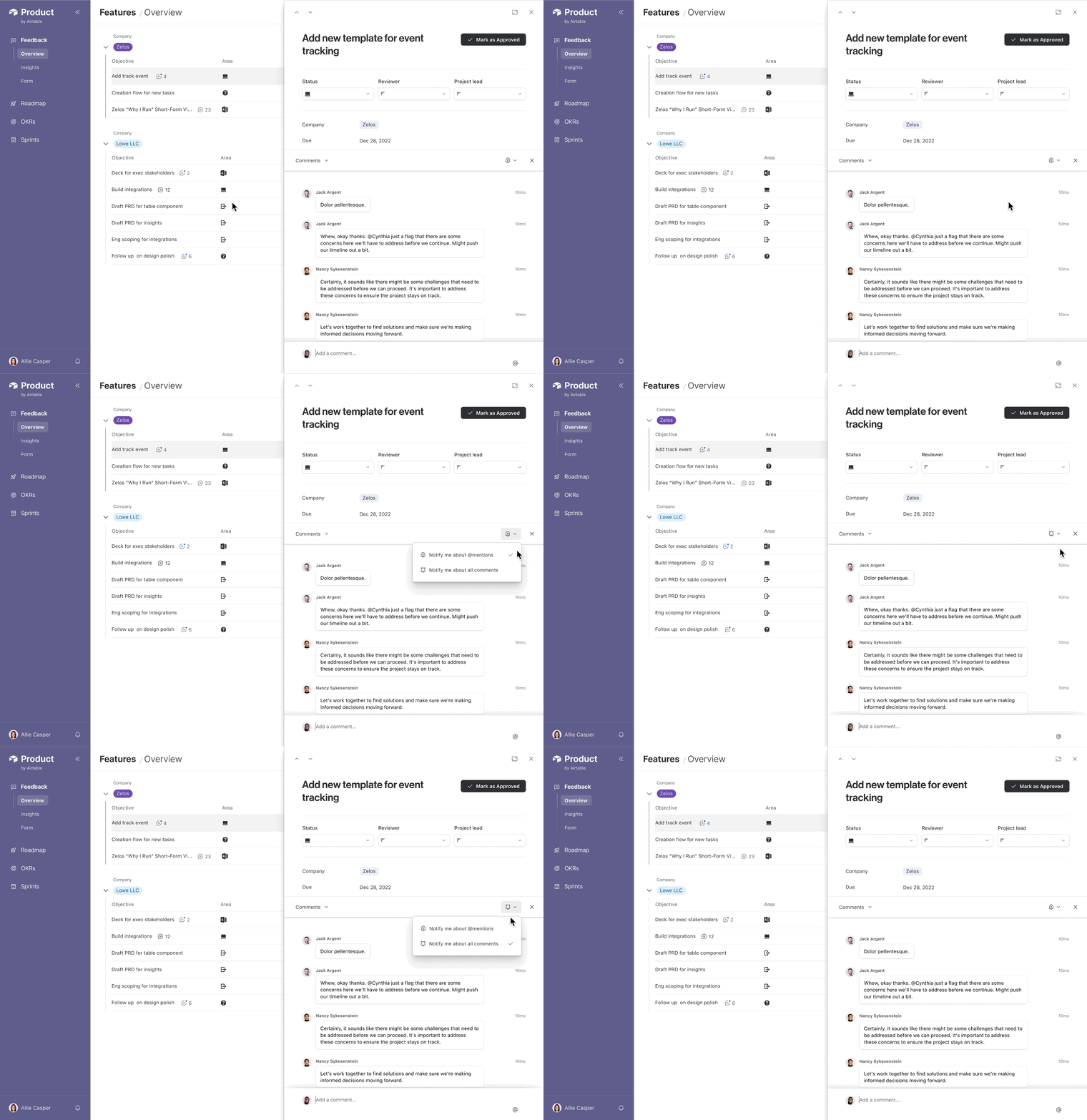
Problem 2: How may we enable users to opt in or out of Airtable conversation notifications to alleviate the fear of missing out?

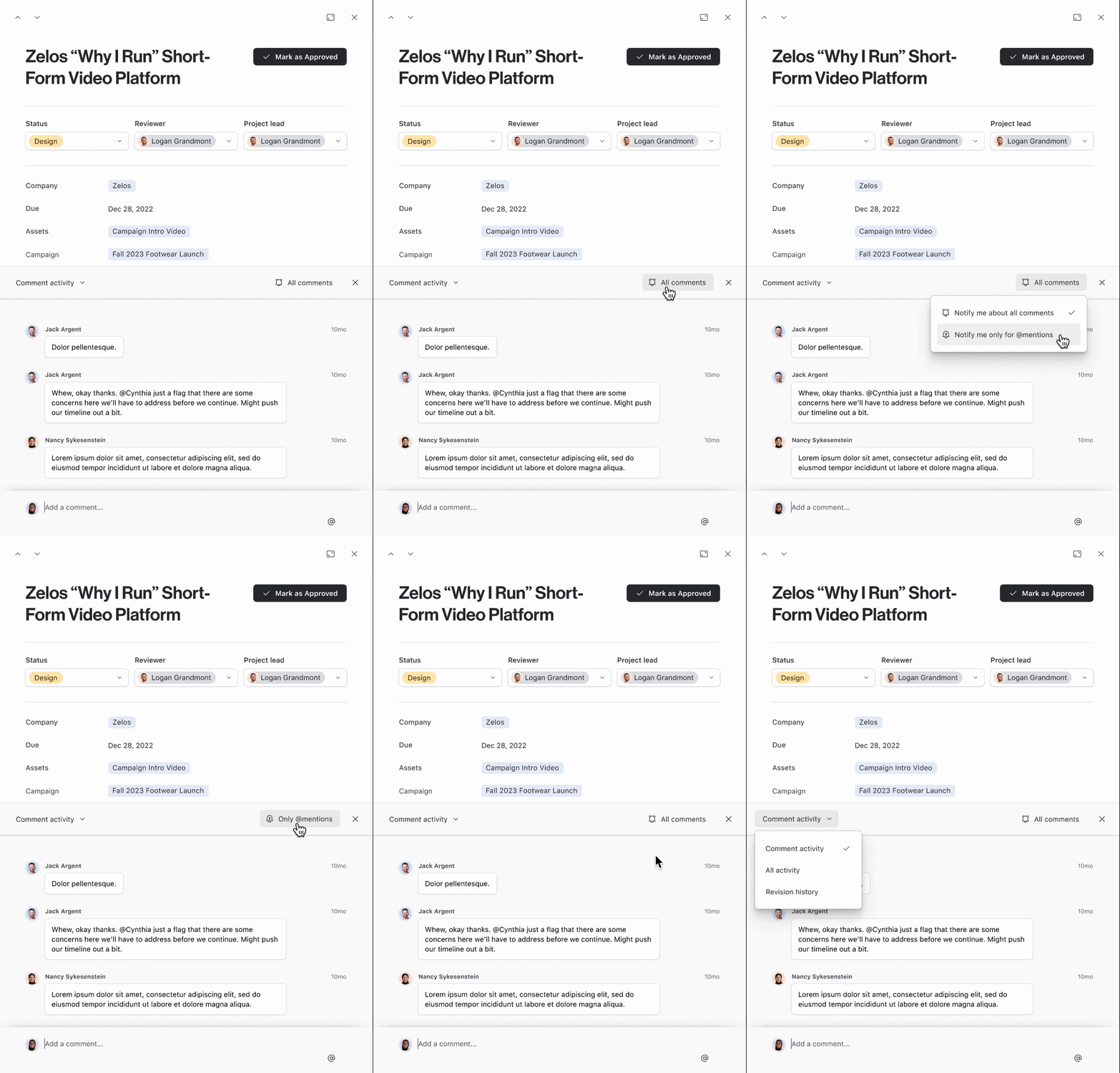
Option 1 - Descriptive
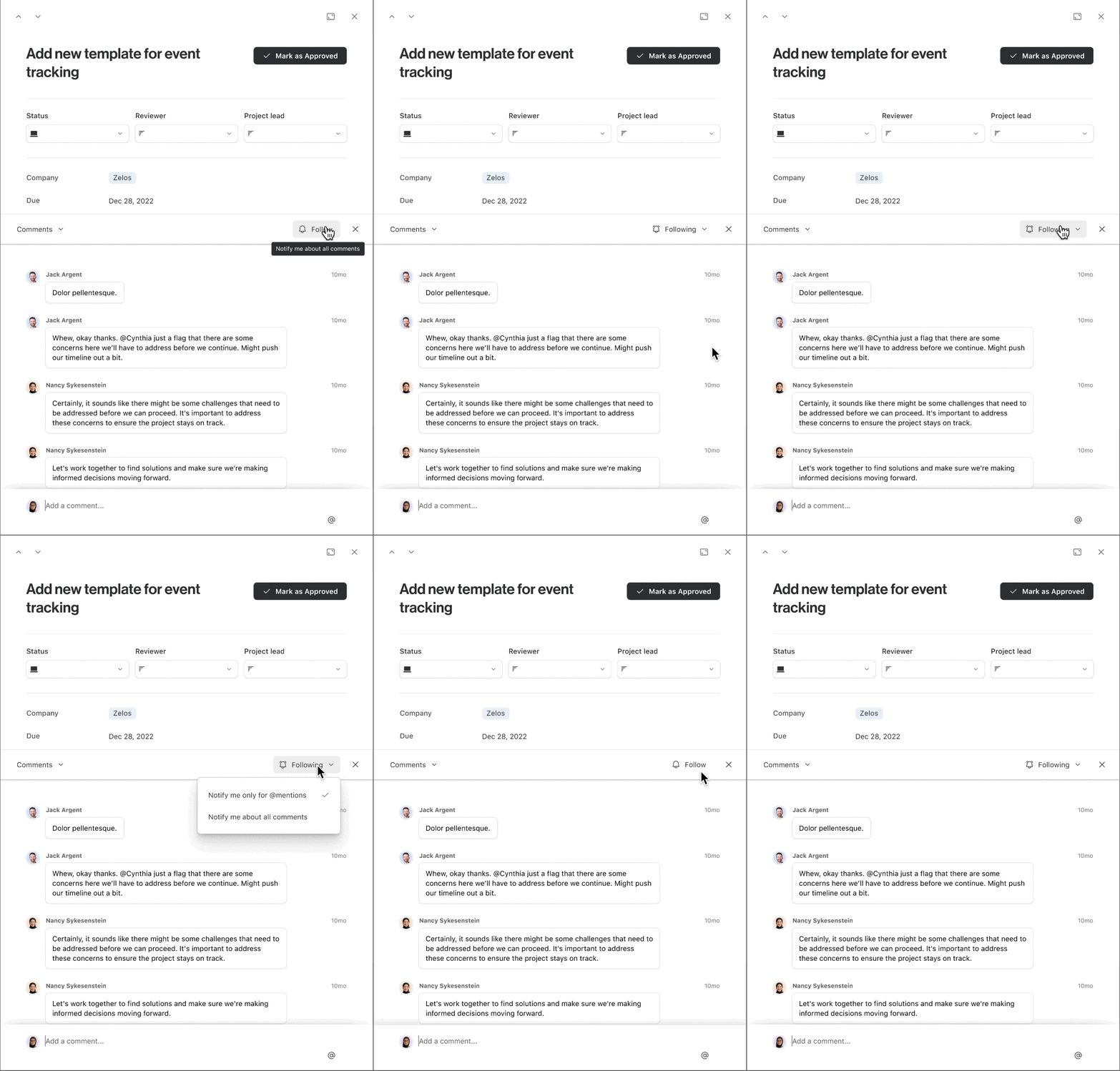
Option 2 - Hybrid
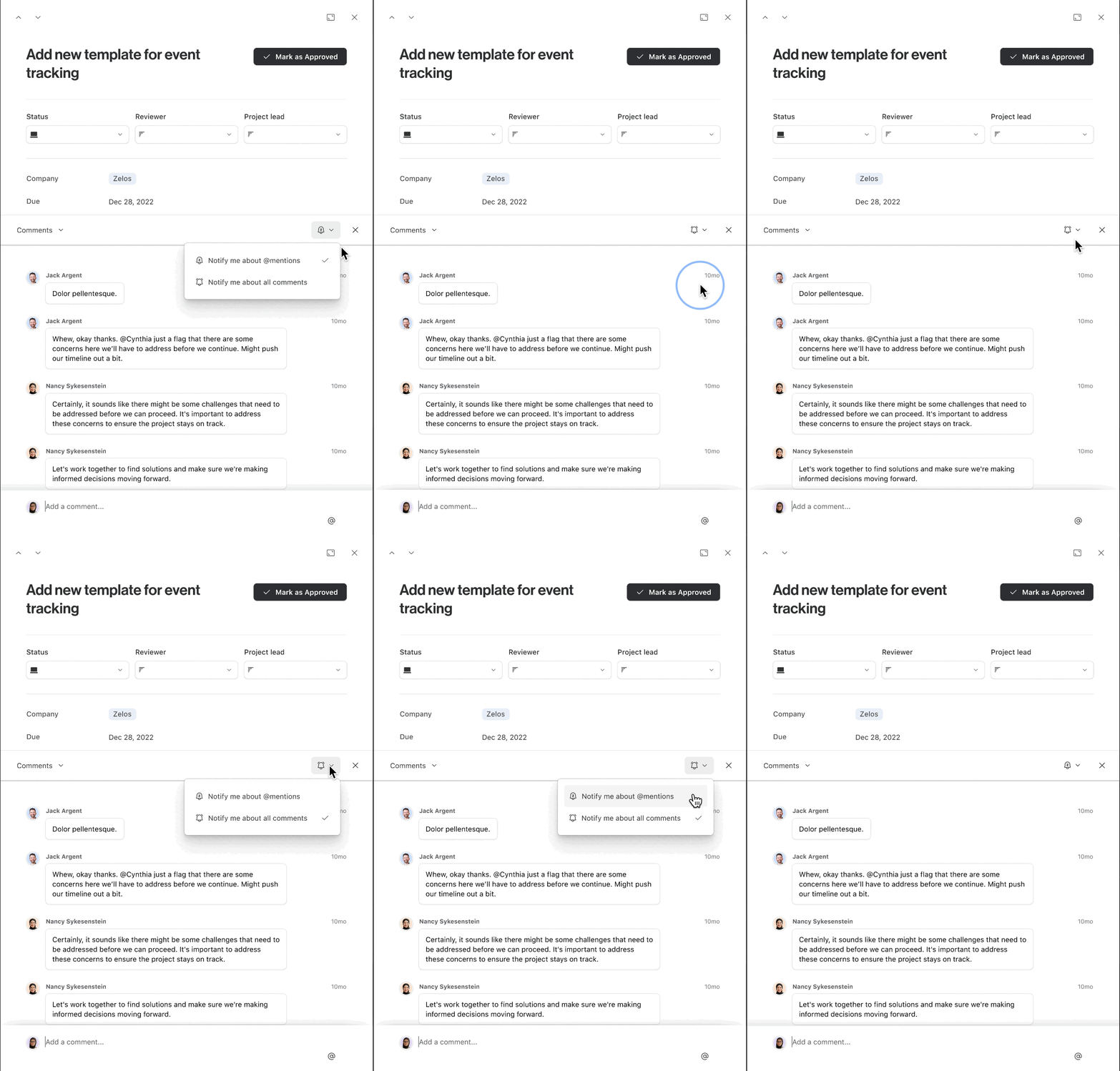
Option 3 - Winner🏆!

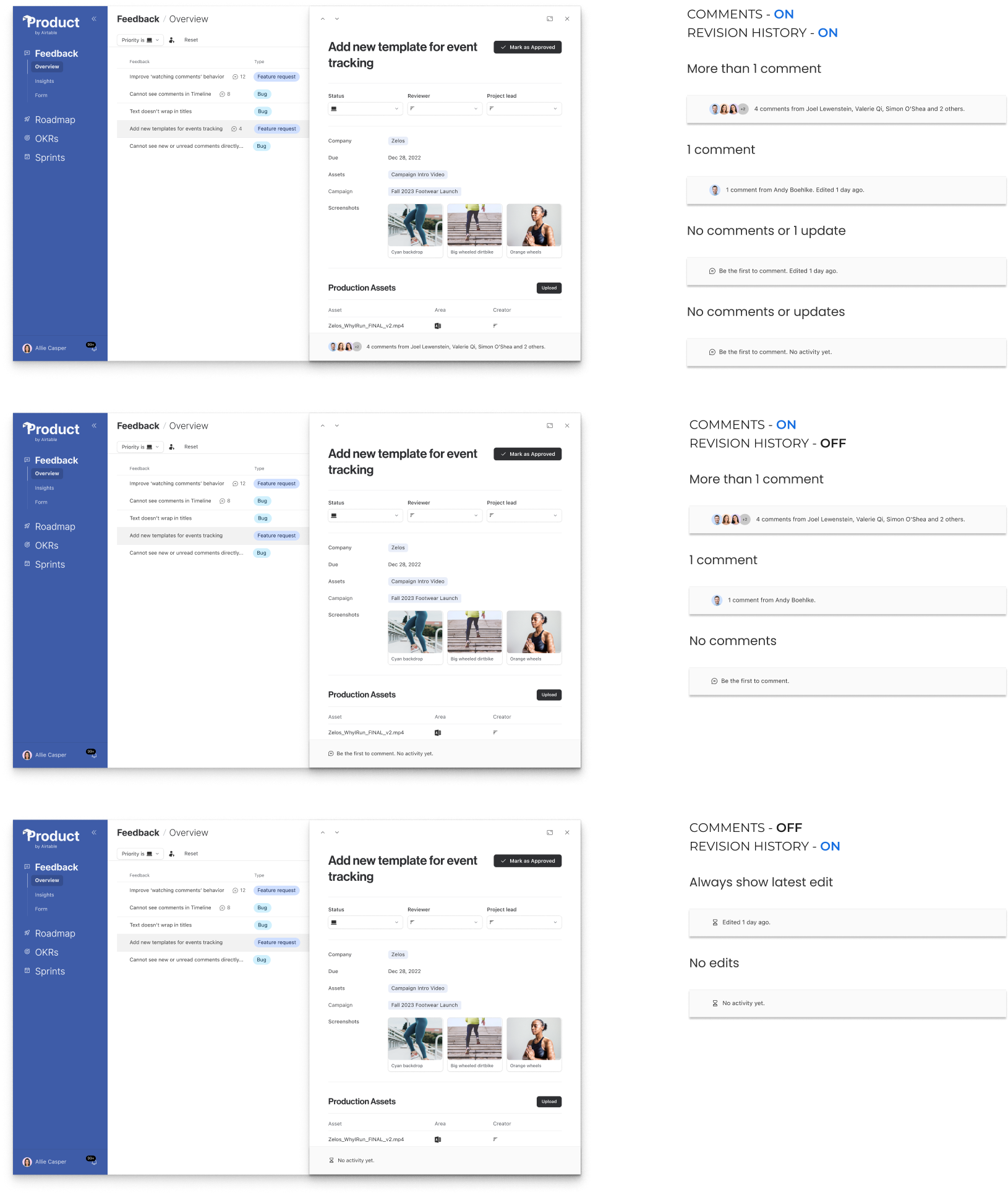
Facepile wins 🏆!
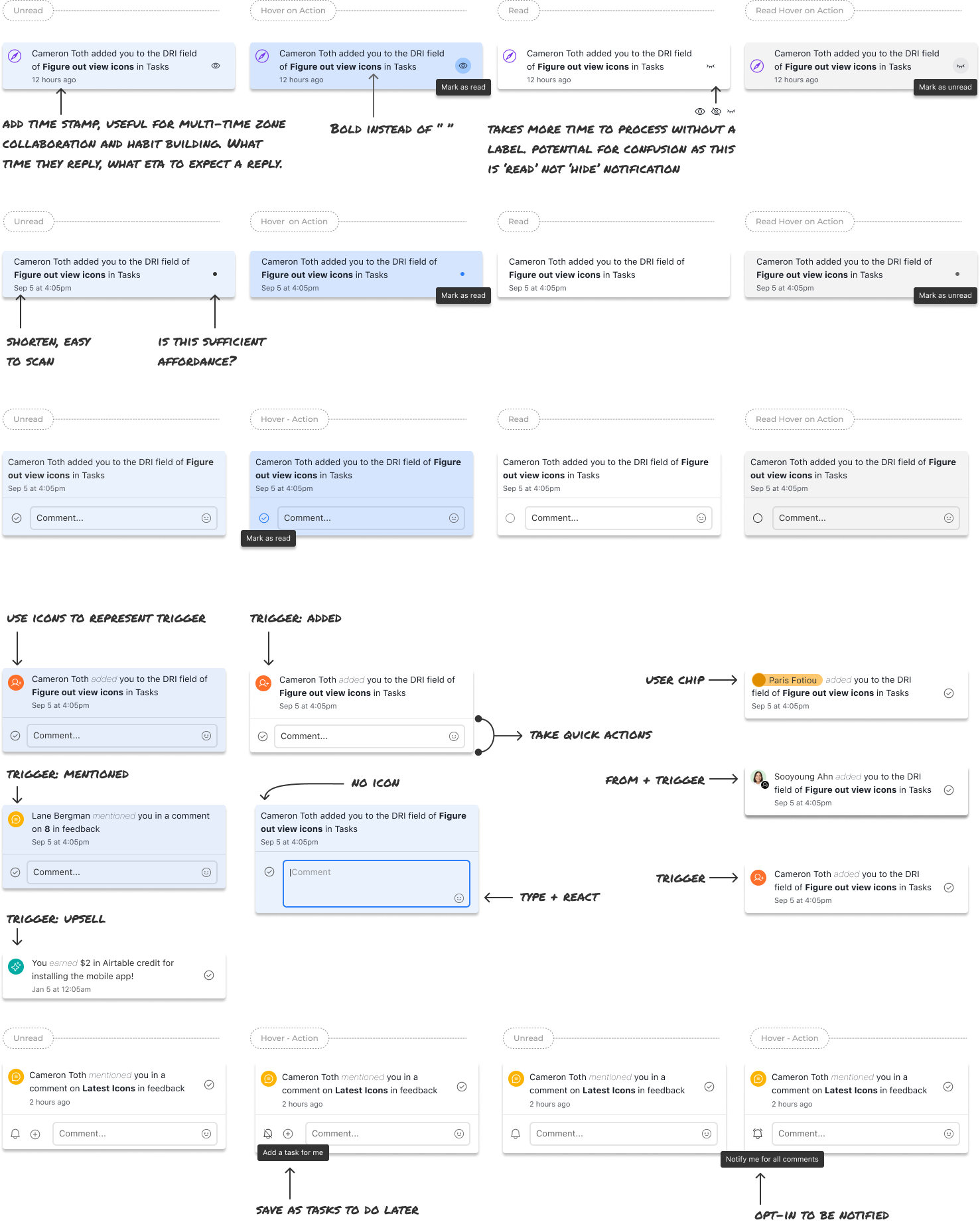
Feature 3: Improve the scannability of the bell and tray, and enable quick actions
🚀 Shipped Jan 2023
Designer - Me!
PM - Chris
Research - Laurane
Engineer - Brad
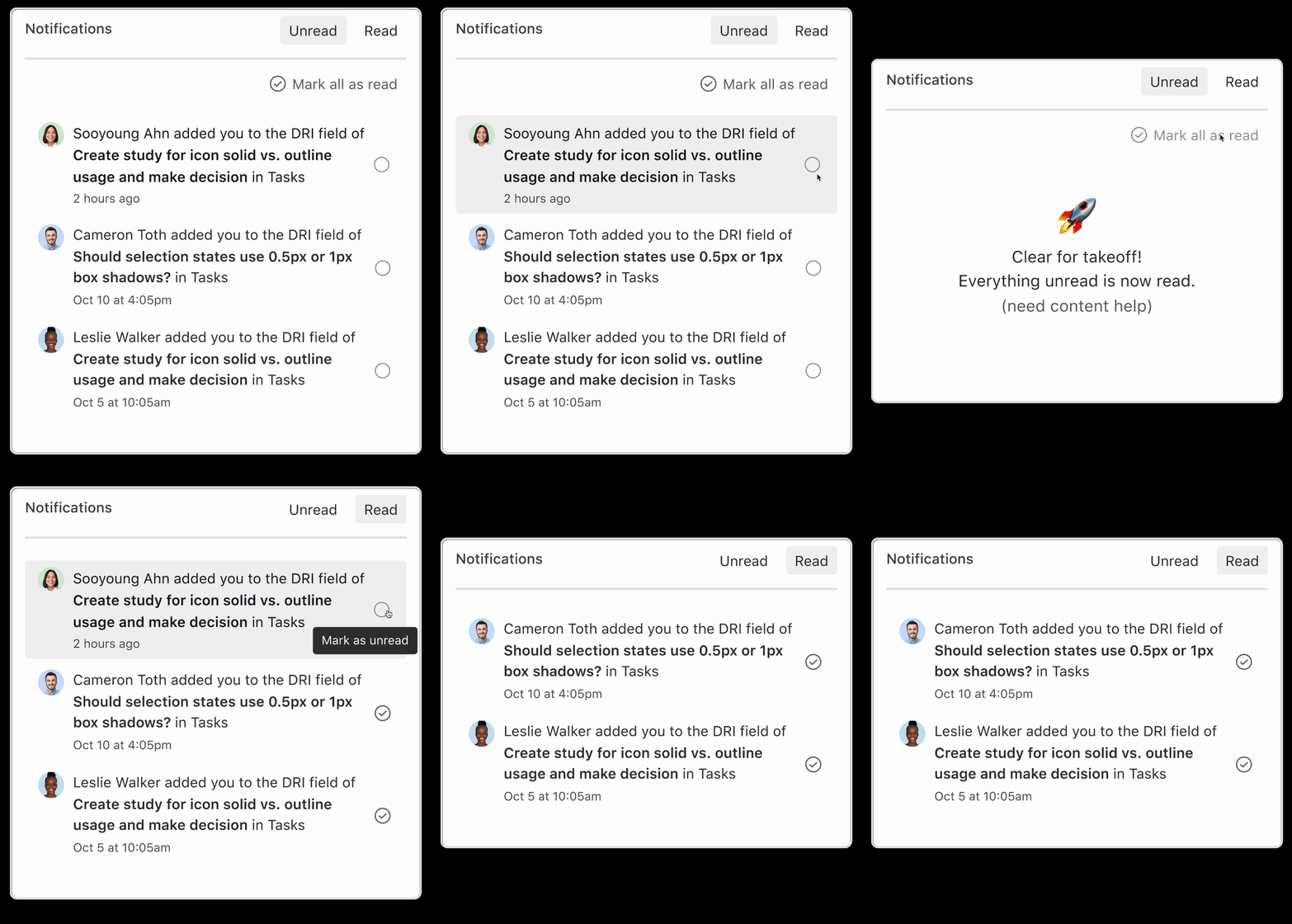
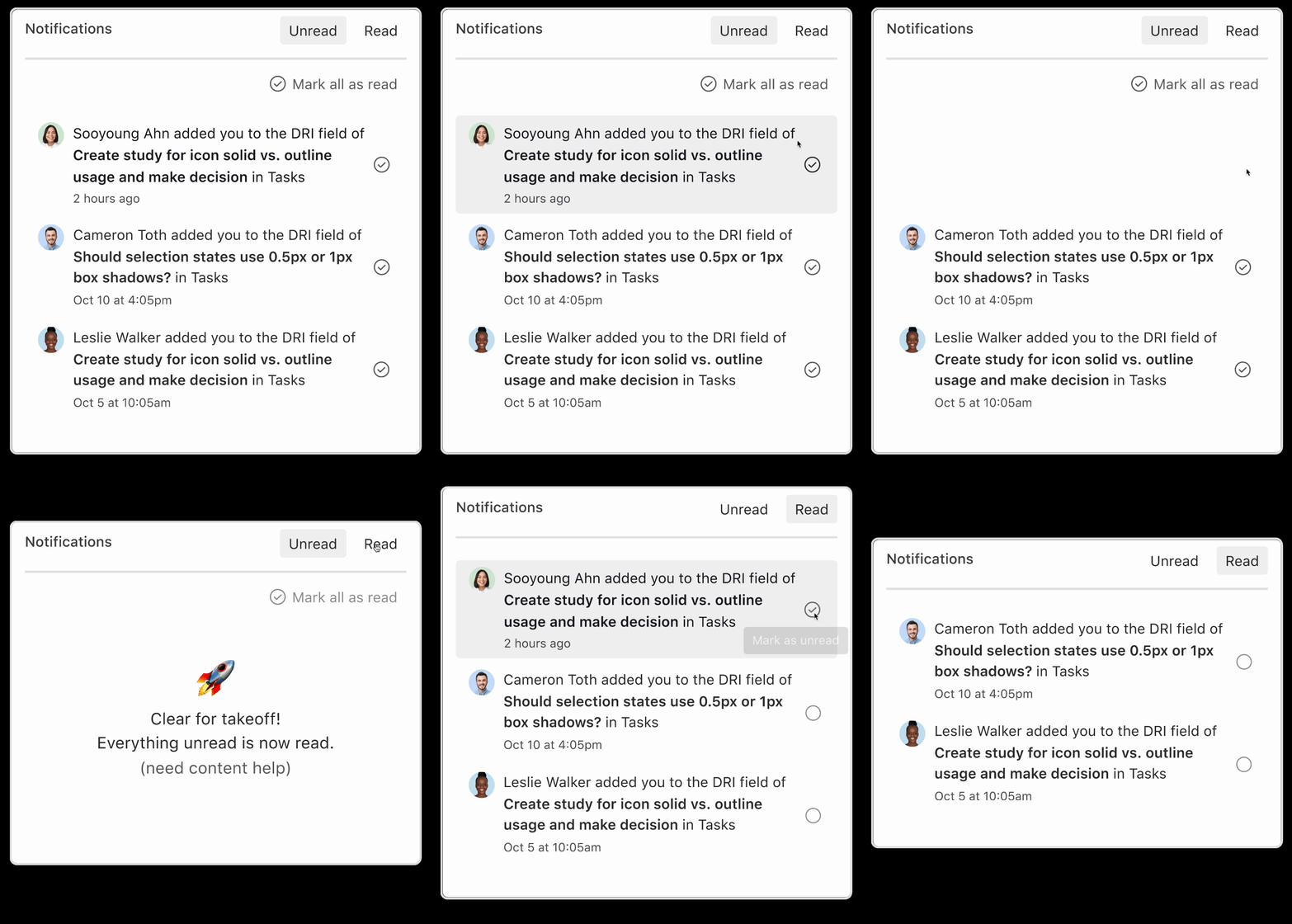
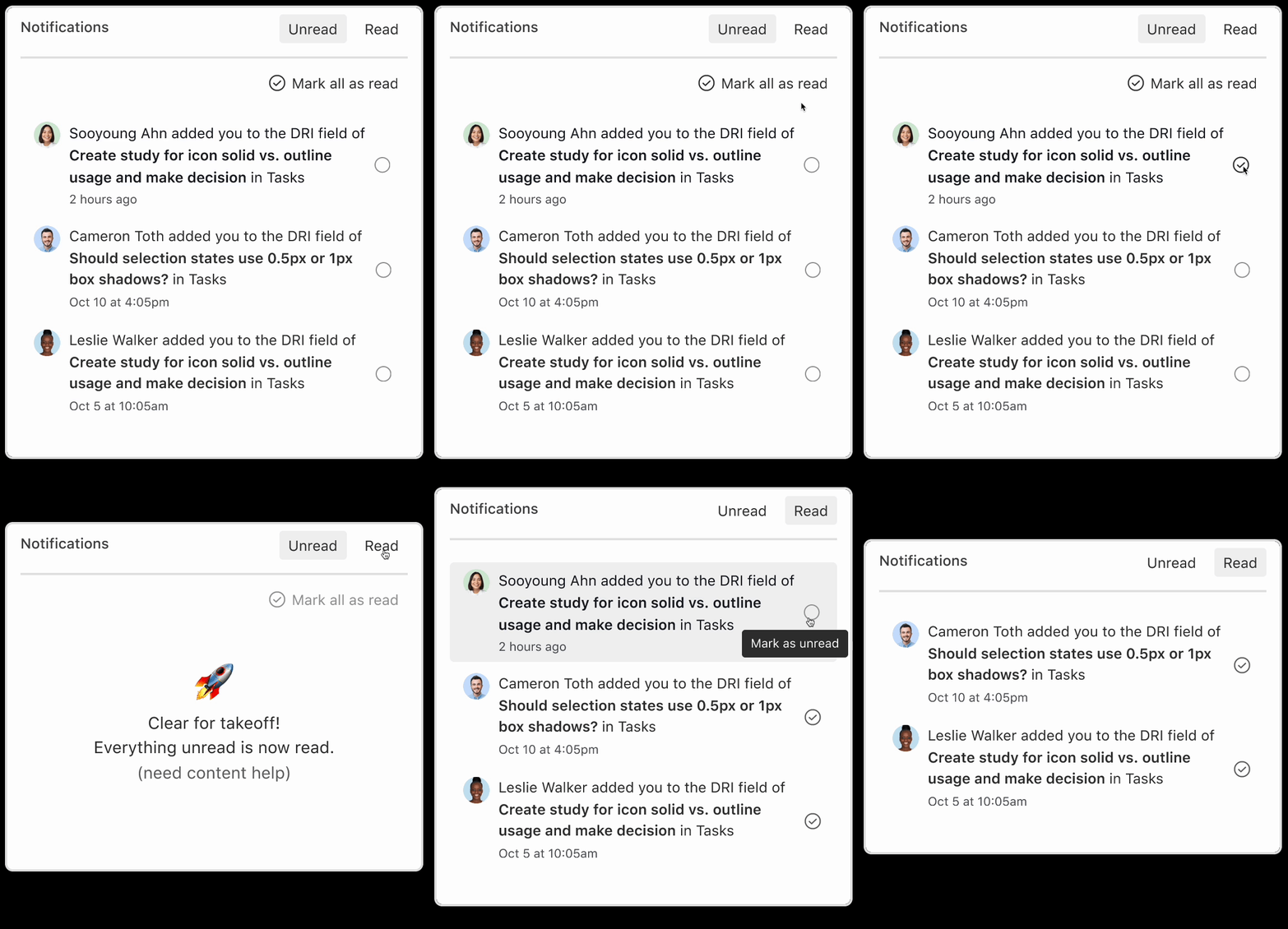
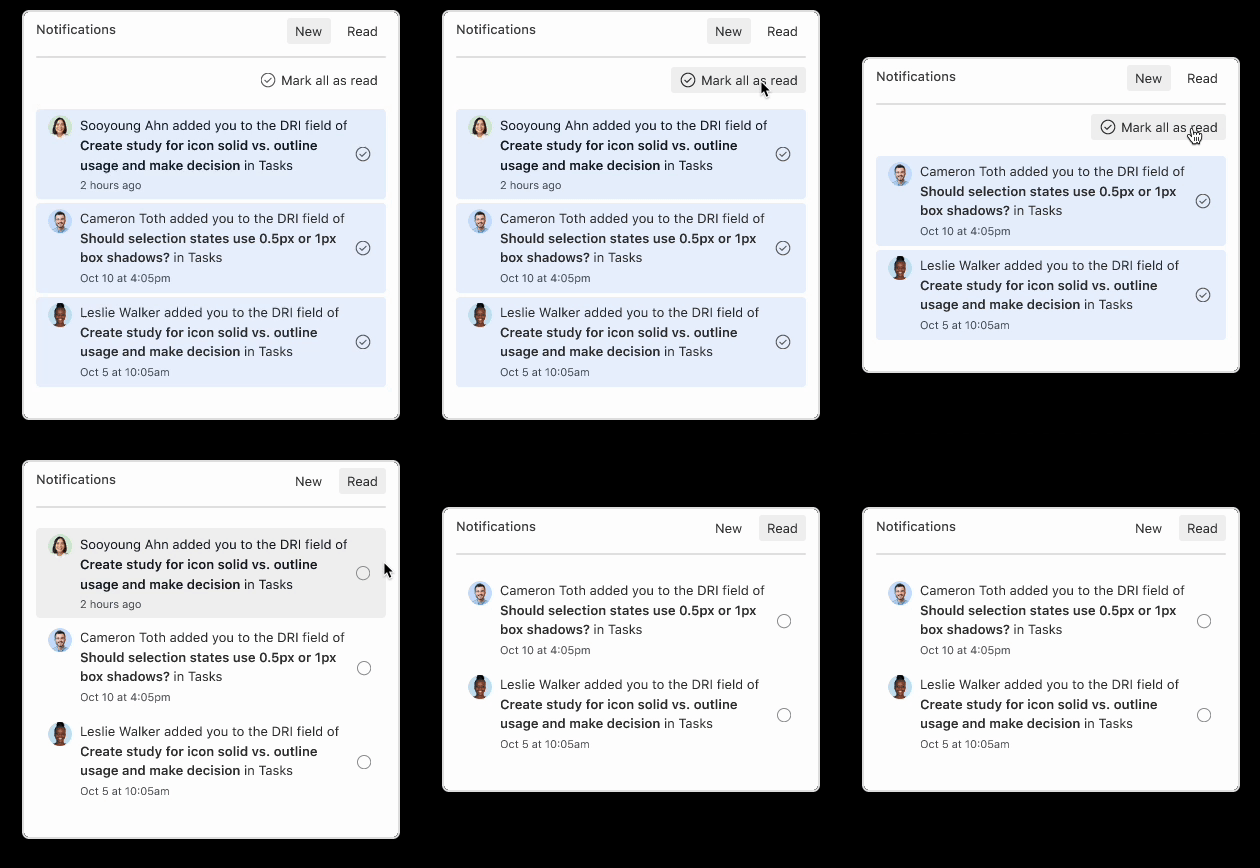
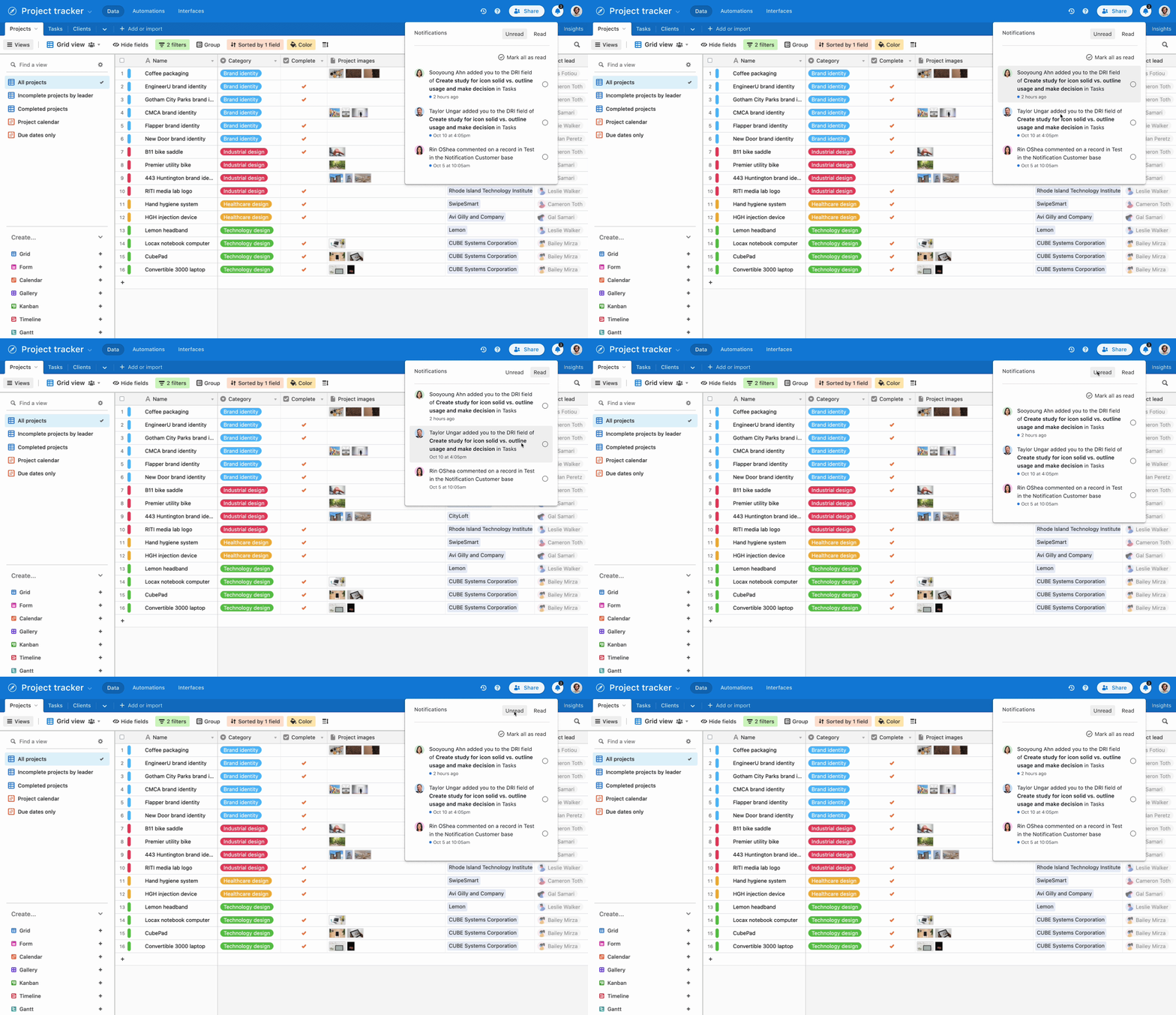
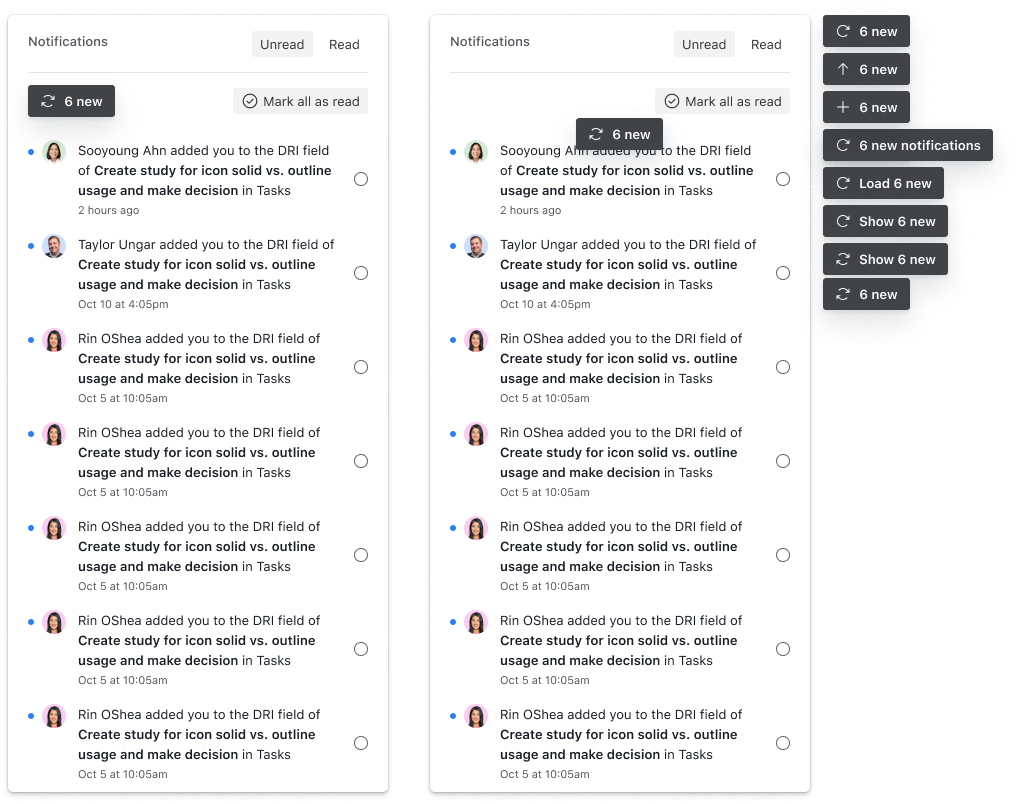
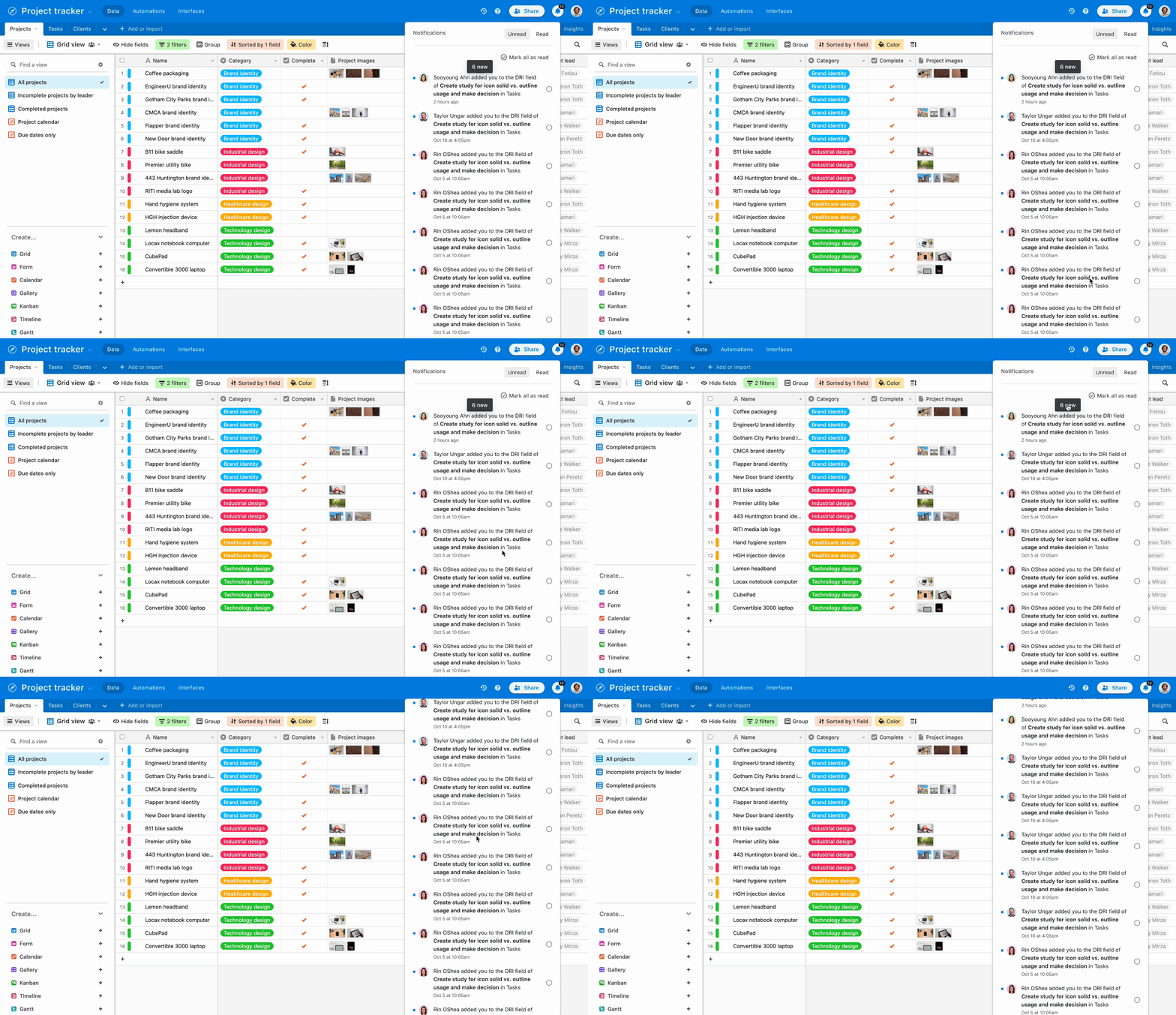
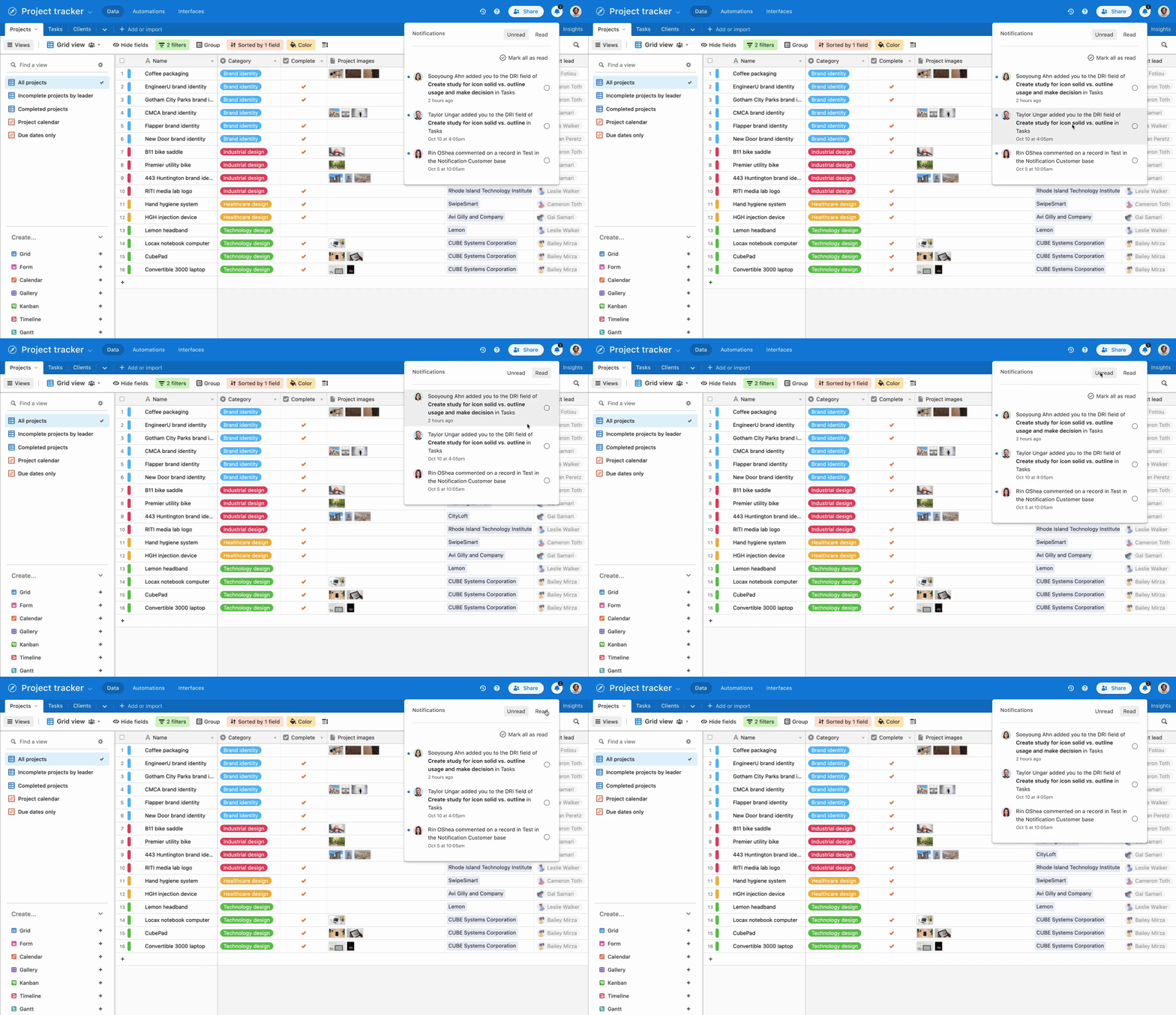
How may we improve the scannability of the bell & tray, enable users to take simple actions, and give users a sense of control over their notification inbox?

Existing bell & tray experience
“I have hundreds of unread notifications. Some of them are dating back to over a year ago. This is very problematic for me since I use the notification bell to determine new work that I need to do.“


________________

Design team roaming around in Chinatown, San Francisco.